Best WYSIWYG HTML editors of 2026
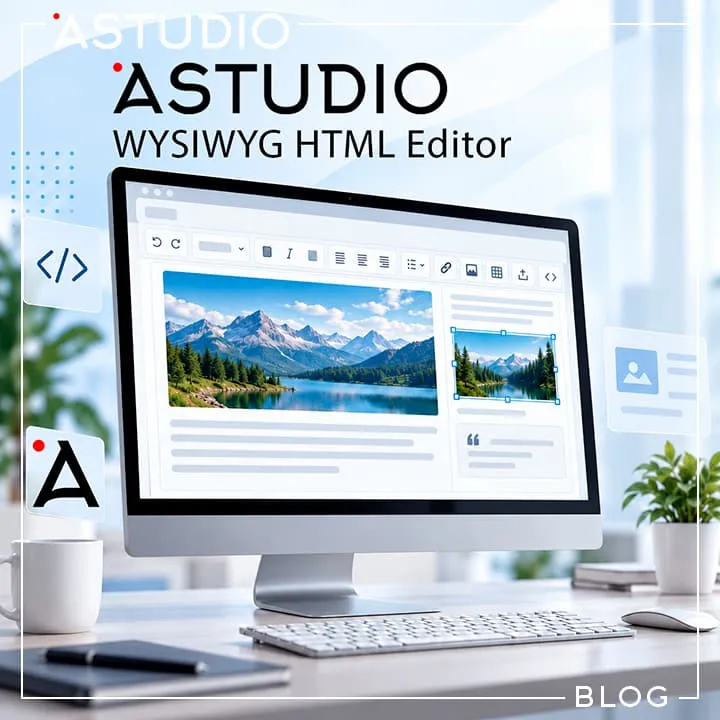
A WYSIWYG HTML editor is a content editing tool within a CMS that allows users to manage website content without manually writing HTML code.
WYSIWYG stands for What You See Is What You Get. It is a standard CMS component designed for formatting text: editing paragraphs, adding headings, inserting links, managing images, and building tables.
From a software engineering perspective, a WYSIWYG editor is a complex component. It must simultaneously interact smoothly with the site's front-end, prevent content distortion, process incoming images, tables, and external formatting, seamlessly integrate into the site architecture, and remain simple and intuitive for the end user.
As long as everything works smoothly, most users rarely think about which specific HTML editor powers their system.
What HTML editors are available?
There are numerous HTML editing solutions on the market today. The most widely used options cater to various use cases—ranging from classic CMS platforms to complex SaaS applications. They differ in architecture, complexity, and licensing models:
- TinyMCE
- CKEditor
- Tiptap
- Quill
TinyMCE Editor
TinyMCE is the widely adopted classic WYSIWYG editor. Its core concept revolves around a comprehensive control panel, rich text formatting capabilities, image handling, link management, tables, source code editing, and extensive extensibility.
For enterprise-grade requirements, it offers advanced capabilities, including real-time collaboration, document import tools, external integrations, and AI-powered features. TinyMCE shines when a mature, out-of-the-box editor with a vast ecosystem is required.
Strengths: High maturity, rich feature set, comprehensive documentation, large ecosystem.
Limitations: Can feel bloated for lightweight CMS setups; requires careful navigation of its licensing models.
CKEditor
CKEditor is another market leader. Rather than being just a simple formatting tool, it operates as a full-fledged content management platform.
It provides robust support for tables, images, advanced HTML editing, drag-and-drop workflows, document structure management, and more. Its ecosystem includes real-time collaboration, Word/PDF document import and export, AI assistants, and file management services. CKEditor is particularly well-suited for enterprise applications where text editing is a core business process.
Strengths: Powerful architecture, extensive feature set, enterprise-ready features.
Limitations: High cost for full-featured commercial licenses in smaller projects.
Tiptap Editor
Tiptap is a headless editor built on top of ProseMirror. It does not force a pre-designed user interface on the developer—toolbars, menus, block behaviors, and UX can be built completely from scratch. This flexibility has made Tiptap a popular choice for modern SaaS products and custom web applications.
Strengths: Complete freedom over UI design and full control over user experience.
Limitations: Freedom comes with a trade-off: developers must build the UI and program custom interaction logic manually.
Quill Editor
Quill is a compact open-source editor oriented primarily toward developers. It exposes an intuitive API for manipulating content, handling events, and managing editor state.
Distributed under the BSD license, Quill can be used freely in both personal and commercial projects.
Strengths: Lightweight core and clean API.
Limitations: Advanced HTML processing and complex CMS features often need to be built and adapted manually.
Which editor is the best choice?
So, which solution is ultimately the best?
If we simplify the choice as much as possible, the picture looks roughly like this:
- TinyMCE and CKEditor are suitable for websites that need a mature, traditional WYSIWYG editor with a broad set of features.
- Tiptap is a practical choice for applications where the editor is an integral part of the interface and requires full control over the UX.
- Quill is a good foundation for relatively lightweight solutions where the developer is prepared to extend the editor independently.
But there is another scenario as well. Sometimes what is needed is a feature-rich HTML editor without licensing restrictions or additional licensing conditions.
Why Astudio WYSIWYG HTML Editor was created?
For years across Astudio projects, we relied on third-party HTML editors. Over time, an operational mismatch became apparent.
On one hand, lightweight editors frequently lacked essential tools for handling raw HTML and rich media. On the other hand, feature-heavy enterprise solutions continuously grew more complex, demanding greater financial and engineering resources to maintain. Additionally, vendor lock-in and licensing constraints added unwanted friction to commercial projects.
These challenges led to the creation of Astudio WYSIWYG HTML Editor—a visual HTML editor built specifically around practical CMS requirements.
Our core design principles are straightforward:
- Provide content managers with all the necessary formatting and structural tools;
- Ensure everyday content editing never turns into complex desktop publishing.
What is Astudio WYSIWYG HTML Editor?
- A practical visual interface for editing structured HTML content.
- Developed around the actual daily needs of site administrators and web engineers.
- Delivers essential features for text formatting, links, images, tables, embedded media, and raw HTML editing in a compact bundle.
We are not trying to replace TinyMCE, CKEditor, or Tiptap. Astudio WYSIWYG HTML Editor was not designed as a massive enterprise ecosystem to compete with multi-decade platforms.
Our goal at Astudio is to provide a clean, reliable, and independent HTML editor for projects where developers need solid WYSIWYG functionality without tying their codebase to complex third-party infrastructure.
Key advantages of Astudio WYSIWYG HTML Editor
- Autonomous & Lightweight: Zero external dependencies, no forced Node.js build overhead at runtime, and direct integration via pre-compiled production bundles (dist/).
- License Independence: The base version is free forever for both personal and commercial projects, eliminating recurring SaaS tiers or complex licensing terms.
- Balanced API & UI: Unlike headless solutions that require building UI components from scratch, Astudio Editor provides a clean, customizable user interface out of the box.
- CMS-Optimized: Includes built-in image upload hooks, robust table management, and native media embed support (YouTube, Vimeo, Instagram, TikTok).
We welcome feedback from CMS developers and software engineers: which features do you rely on most, and what capabilities would you like to see in future releases?
632
17.09.2026
Last update 19.10.2026
Get a consultation and cost estimate for your project. We will propose the most effective solution for your case.
Wix is a website builder that allows you to create a website without programming skills, but it has limitations:
- Monthly subscription fees
- Limited SEO
- No full control over code or advanced features․
A website built from scratch allows:
- Full customization for business needs
- High performance and scalability
- Unique brand design and functionality․